iLO
proliant ilo talks directly to a server's iLO over Redfish. It requires a
local inventory file with the server's iLO address and credentials; run
proliant setup to create one.
Inventory
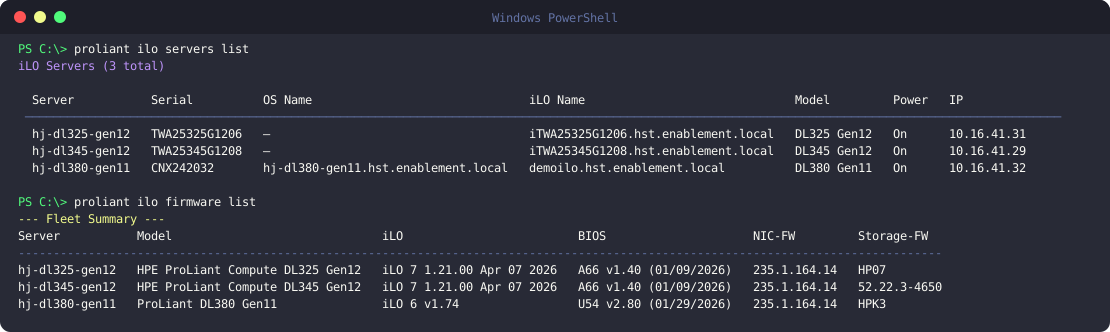
proliant ilo servers list                        # List all configured hosts
proliant ilo servers describe <host>              # Full server details
proliant ilo power describe <host>                # Power state + auto power-on after AC power loss
Automation and AI agents
proliant ilo inventory always prints JSON with a stable, versioned schema,
so scripts and AI agents can consume it without parsing tables:
proliant ilo inventory                                  # summary for every server
proliant ilo inventory <host> --resources summary,gpu,power
proliant ilo inventory --resources all
{
  "schema_version": 1,
  "collected_at": "2026-11-06T06:07:59+00:00",
  "resources": ["summary", "gpu"],
  "servers": {
    "dl325-gen12": {"summary": {"model": "...", "power_state": "On", "ilo": {"firmware": "1.21.00"}}, "gpu": []},
    "unreachable-host": {"error": "ConnectError: ..."}
  }
}
Resources: summary, power, firmware, cpu, gpu, memory, storage,
network, network_ilo, boot, bios, license (proliant ilo inventory --help
describes each). A failing server or resource becomes an {"error": ...} entry
without affecting the rest. --json also works on servers describe (all
resources, same schema), storage/network/network-ilo describe,
reports cpu|gpu|memory and bios describe. Change commands support --dry-run
(power, uid, boot set pxe) to preview the exact Redfish request.
In Python, use the same data in-process:
from proliant.ilo import api
api.query(["summary", "gpu"], server="dl325-gen12")
Screenshots