Additional Setup
Extra features and configuration that apply across ilo, com, and
oneview.
SPP (Service Pack for ProLiant)
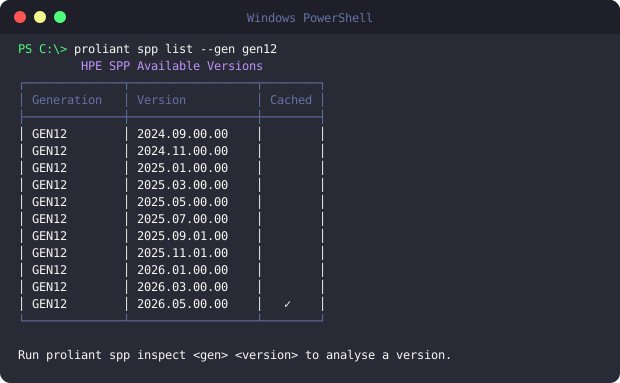
Browse Service Pack for ProLiant release contents without downloading the full ISO:
proliant spp list                                # List available SPP releases
proliant spp inspect <version>                   # Inspect SPP contents
proliant spp diff <version1> <version2>          # Compare two SPP releases
Local inventory file
proliant setup is the guided way to manage your local inventory file — it
can view, add, edit, or delete entries (both iLO hosts and an optional
[oneview] appliance section), test connectivity live, and open the file
directly in your $EDITOR/$VISUAL if you'd rather hand-edit it. Every
save keeps rotating backups, so an accidental edit or deletion is always
recoverable.
proliant setup
proliant looks for the local inventory file in this order: an explicit env
override, then ~/.config/proliant/ilo/, then the current directory. It's
only used by ilo and oneview — com authenticates against the cloud API
directly.
Shell completion
Both installers (install.ps1 / install.sh) wire up dynamic tab completion
automatically — PowerShell, bash, and zsh are all supported out of the box.
If completion ever stops working after a shell/profile change, open a new
terminal; if it's still missing, re-run the installer to regenerate the
completion block.
Self-update
proliant version # Show installed version; offers to upgrade if a newer release exists
Telemetry
proliant can log CLI tracebacks and send them to Sentry to help fix bugs. It's opt-in and off by default — no personal data (IPs, hostnames, usernames, or credentials) is ever included.
Check or change it any time:
proliant setting telemetry
This shows whether it's currently on or off and asks you to confirm before switching it.
Screenshots